
Intellectia: AI Trading Signal
Intellectia.aiFinance
4.5111.00 Reviews
- Version
- 1.9.14
- Installs
- 50.00K
- Age Rating
- Everyone
Screenshots

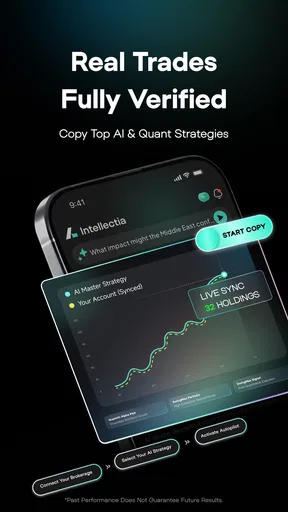
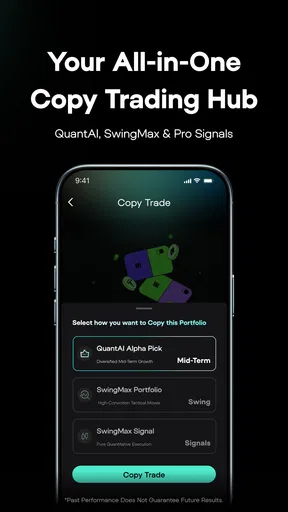
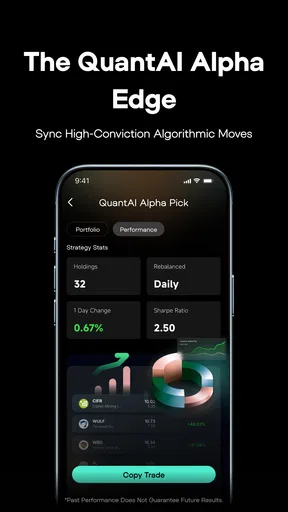
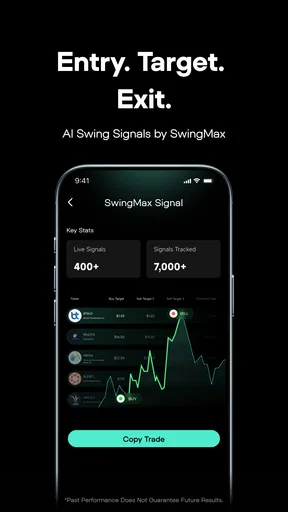

Our Review of Intellectia: AI Trading Signal
 Analysis by Appyee
Financial tools are only as useful as the moment you can reach them, and that matters especially when market information changes quickly. I approached Intellectia: AI Trading Signal as a way to follow stock analysis from a phone, not as a substitute for understanding what I’m buying. The app is aimed at people who want market context and trading tools in one place, but its usefulness naturally depends on having a reliable connection when you need current information.
When a live connection is part of the experience
Intellectia is a finance app from Intellectia.ai, and its focus on timely stock insights makes connectivity central to how I would use it. If I’m checking a company during a busy trading day, a dependable connection helps me see current information rather than relying on a snapshot from earlier. I would treat any signal as a prompt to investigate, not as an instruction to place an order immediately.
That distinction is practical, not just cautious. A signal can draw my attention to a stock, but I still need to consider my own goals, the broader market, and whether the idea makes sense for me. A connection can deliver information quickly; it cannot make a risky decision safe or tell me how much I can afford to lose.
Using it around a real day
Picture checking the app during a commute or between meetings. I might use that short window to review an alert or scan an analysis, then save the decision for a calmer moment when I can compare it with other sources. That is a healthier mobile workflow than reacting to a notification while distracted. For hands-on trading, I would also make sure I can access the account and order tools I actually use; an analysis app and a brokerage app do not necessarily serve the same purpose.
For a new investor, the appeal is having market ideas presented in a more approachable way. For someone with experience, the value is more likely to be a quick second perspective than a replacement for a carefully built process. I would skip it if I wanted guaranteed returns, fully automated decision-making, or a simple savings tool rather than stock research.
What to do when information is slow
Mobile service can falter at exactly the wrong time: underground, in a crowded station, or while moving between Wi-Fi and cellular data. If an insight or market view takes longer to load, I would avoid repeatedly tapping actions or treating an old screen as live. Refresh when the connection is stable, check the time context of what you are viewing, and confirm important details through a trusted source before acting.
This is also why I would not build a time-sensitive trading routine around a single phone app. Keep your decision notes somewhere you can refer to, and have another way to check market information if a connection drops. Those small habits reduce the chance of confusing a delayed display with a new signal.
Be deliberate with data and attention
Frequent refreshes and alerts can make any market app feel urgent, even when no action is needed. I would choose only the notifications that support a specific plan, rather than letting every update interrupt the day. When using mobile data, checking the app at set times instead of leaving it open can also make the experience more intentional and easier to manage.
Before relying on any trading tool, I’d review its current subscription choices and in-app purchase details, and decide whether the features I actually need justify any spending. Intellectia is free to download, but it also offers in-app purchases ranging from forty-nine cents to eight hundred forty-nine dollars and ninety-nine cents per item. I would not pay for an upgrade just because a signal sounds confident; first I’d identify a recurring task it solves and compare that benefit with the cost.
Getting Started with Intellectia
First things first, downloading Intellectia: AI Trading Signal is a breeze. Available on both Android and iOS, it’s just a tap away from your app store. Once installed, the app greets you with a sleek, user-friendly interface that immediately gives off a professional vibe. Setting up an account is straightforward, and within minutes you’re ready to explore its features.
The AI Edge
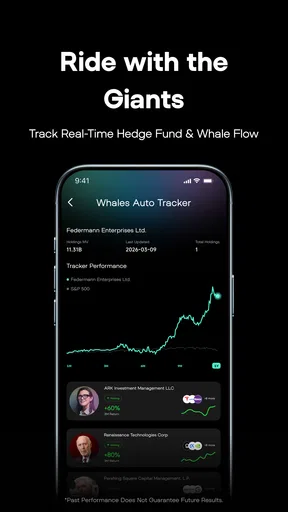
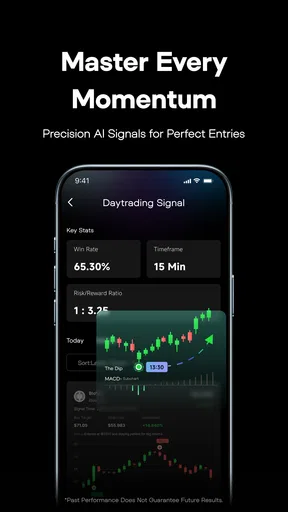
Now, what really sets Intellectia apart is its AI-driven trading signals. This isn’t just a fancy term thrown around to attract users. The app offers real-time analysis and predictions based on vast amounts of market data. I was impressed by how the AI adapts and learns from market trends, providing users with insights that would typically require hours of manual analysis.
What’s great is that you don’t need to be a seasoned trader to understand the signals. The app breaks down complex data into digestible insights, making it accessible even for newcomers. Talk about bridging the gap between novices and experts!
Features That Shine
Beyond the AI signals, Intellectia is packed with features that cater to both beginners and seasoned traders. Here are a few that caught my eye:
- Custom Alerts: Set up alerts for specific trading signals that match your strategy. This ensures you never miss an opportunity.
- Portfolio Tracking: Keep an eye on your investments and see how they stack up against the market trends.
- Educational Resources: For those of us who love to learn, the app offers tutorials and articles that explain trading concepts in detail.
Real-World Application
So, how does Intellectia perform in the real trading world? In my experience, the app provides timely and accurate signals that can be a game-changer if used correctly. I found myself checking the app daily, not just for signals, but also for the educational content it offers. It’s like having a personal trading mentor in your pocket.
However, it’s important to remember that no app can guarantee success. Trading involves risks, and while Intellectia provides valuable insights, users should still exercise caution and do their own research.
Making signals useful rather than distracting
One useful way to test the app is to treat its alerts as research leads. When an alert catches my attention, I would note the reason I’m considering the stock, check the underlying information, and decide in advance what would make me change my mind. That simple sequence makes it easier to distinguish a useful signal from an impulse to chase a sudden move.
Portfolio tracking can also be more valuable as a review habit than as a constant scoreboard. I’d use it at a regular time to compare how my holdings are behaving with the market context, then look for questions worth researching. Checking every small fluctuation can add stress without improving a decision, especially for someone investing over a longer horizon.
How it fits beside other finance apps
Compared with a brokerage app, Intellectia’s appeal is analysis and ideas rather than the basic job of placing and managing orders. Compared with a general news feed, its trading-oriented signals and portfolio view offer a more focused lens on stocks. Those differences matter: I’d use a broker to handle transactions, broad news sources to understand events, and Intellectia as one input in a research routine—not expect one app to do all three jobs equally well.
There is a trade-off in that focused approach. A signal can simplify a complicated market story, which is useful when learning, but a compact explanation may leave out context that matters to a particular company or investor. I’d open the educational material when a term is unfamiliar, then verify the central claim using other information before changing a portfolio. The app can make research more approachable, but the user still has to judge the evidence.
Who is likely to get the most from it
I can see Intellectia suiting a curious beginner who wants a guided way to explore stocks, or an active investor who already has a process and wants another source of ideas. It may also help someone who has limited time to scan markets, provided they can return later to assess an alert rather than trading while distracted. Its mix of analysis, alerts, tracking, and learning resources gives those users several ways to make a brief check-in useful.
It is a poorer fit for someone who wants a passive budgeting or banking app, or who expects an AI signal to remove uncertainty from investing. It is also not the right sole tool for decisions that demand immediate execution: analysis and order placement are different tasks, and a mobile connection is not guaranteed to be stable. If I were building a long-term plan around diversified funds or simple automatic saving, I’d choose tools designed for those needs rather than adding stock signals just because they are available.
What I would check before relying on it
The app is free to download and is rated for Everyone. It has an average rating of four point five from around eleven hundred ratings, with over fifty thousand installs. Those figures suggest that it has attracted a meaningful audience, but I would still judge it by whether its explanations are clear and whether its alerts fit my own approach. It was released on May seventeenth, twenty twenty-five, and version one point nine point eleven is the current version.
It is also sensible to check whether the app’s current version works with your device before building a routine around it; the minimum operating system is version seven point zero. I’d look over the app’s purchase options before trying paid features, and decide what I want to learn or accomplish first. That avoids paying for access without a clear use case, and it makes it easier to tell whether the free experience already covers what I need.
Wrapping It Up
In conclusion, Intellectia: AI Trading Signal is a solid choice for anyone looking to enhance their trading strategy with the power of AI. Its user-friendly design, combined with powerful features, makes it a must-try for both novice and experienced traders. Whether you're looking to make informed decisions or simply learn more about trading, Intellectia has something to offer.
So, if you’re ready to take your trading game to the next level, why not give Intellectia a shot? It might just be the edge you’ve been looking for.
My connectivity verdict
For me, the best way to use Intellectia is as a connected research companion: check an idea, understand why it surfaced, and take time to verify it before acting. The app’s appeal is strongest when I have enough signal and attention to read rather than merely react. If I want dependable execution, a broader financial picture, or a tool that makes investment decisions for me, I’d pair it with the appropriate service—or choose a different kind of app altogether.
Verdict
Strengths of Intellectia: AI Trading Signal
- Provides real-time trading signals.
- User-friendly interface for beginners.
- Customizable alert settings.
- Supports multiple asset types.
- In-depth analytics and reports.
Limitations of Intellectia: AI Trading Signal
- Requires subscription for full features.
- Limited offline functionality.
- Occasional signal delays reported.
- No demo account for practice.
- Complex setup for advanced features.
Similar Picks in This Category
View All
Google Wallet
Google LLC4.3

Airtel: Recharge, Bank & Loans
Airtel4.0

PayPal - Pay, Send, Save
PayPal Mobile4.2

DANA Indonesia Digital Wallet
PT Espay Debit Indonesia Koe4.5

Binance: Buy Bitcoin & Crypto
Binance Inc.4.8

Cash App
Block, Inc.4.7
Frequently Asked Questions
What is Intellectia: AI Trading Signal and how does it work?
Intellectia: AI Trading Signal is a cutting-edge application designed to provide users with AI-driven trading signals. It analyzes vast amounts of market data to forecast potential trading opportunities. By leveraging machine learning algorithms, it aims to help both novice and experienced traders make informed decisions, thus increasing the chances of successful trades.
Is Intellectia suitable for beginners in trading?
Yes, Intellectia is designed to be user-friendly, making it suitable for beginners. The app provides easy-to-understand signals and insights, accompanied by educational resources that help newcomers understand the basics of trading. However, users should always be cautious and consider using a demo account before risking real money.
What platforms is Intellectia available on, and is there a cost involved?
Intellectia is available on both Android and iOS platforms. The app offers a free version with limited features, while a subscription model provides access to premium signals and advanced tools. Users should review the pricing details in the app store to choose a plan that fits their needs and budget.
How secure is my data with Intellectia?
Intellectia prioritizes user security and data privacy. The app employs robust encryption protocols to protect user information and adheres to industry standards for data protection. Users are encouraged to review the app’s privacy policy to understand how their data is managed and safeguarded.
Can Intellectia guarantee profitable trades?
While Intellectia provides AI-generated trading signals based on comprehensive market analysis, it cannot guarantee profits. The stock market is inherently unpredictable, and users should be aware of the risks involved. It's important to use the app’s insights as part of a broader trading strategy, combining it with personal research and risk management practices.
